Use Microsoft Surface Duo 2 Pen Cover to charge and store your Surface Slim Pen 2 when you’re not using it—and keep your Surface Duo 2 looking its best. After you put the cover on, attach the bumper to help protect your Surface Duo. The bumper has two parts with an adhesive strip on both. It’s designed to be attached one time.
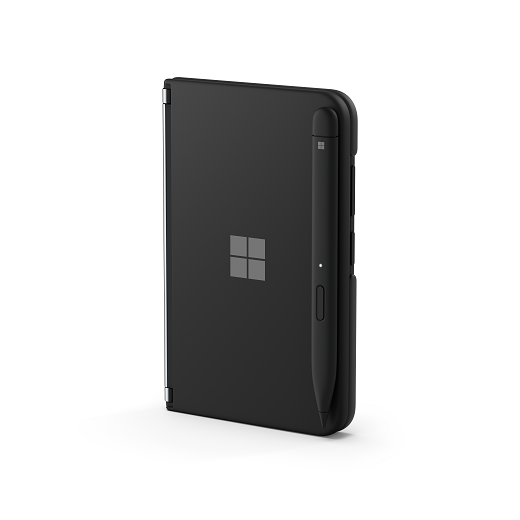
Put Surface Duo 2 Pen Cover on the left screen of your Surface Duo 2. It snaps on.
On the label 2 bumper, remove the liner from the adhesive strip on the inside of the bumper, and then attach the bumper to the top-right corner of your Surface Duo 2.
On the label 3 bumper, remove the liner from the adhesive strip, and then attach the bumper to the lower-right corner of your Surface Duo.
You can still use the volume buttons, Fingerprint Power button, and USB-C port when the bumper is attached.
Place Surface Slim Pen 2 on the edge of the cover.
It attaches magnetically and charges using power from your Surface Duo.
Remove all of the numbered labels.
Need more help?
Technical support

For technical support, open the Surface app, describe your problem and select Get Help.
Community support

Communities can help you ask questions, and hear from experts with rich knowledge. Ask the Community.
Other support

If you can't use your Surface or have a question about something else, open Get Help to get other support online.